Appearance
Install Locust application
- Mac OS: please refer to this link
- Windows: Please follow steps below:
Step 1: if you don't already have Python, please download python at https://www.python.org/downloads/release/python-372/
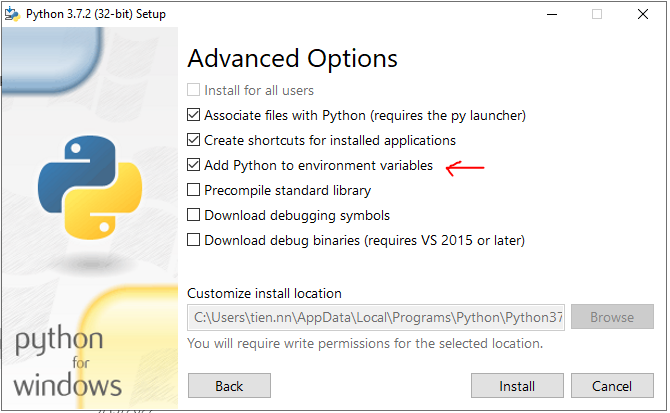
Step 2: Install Python and “Pip” by selecting the “Add python to environment variables” option
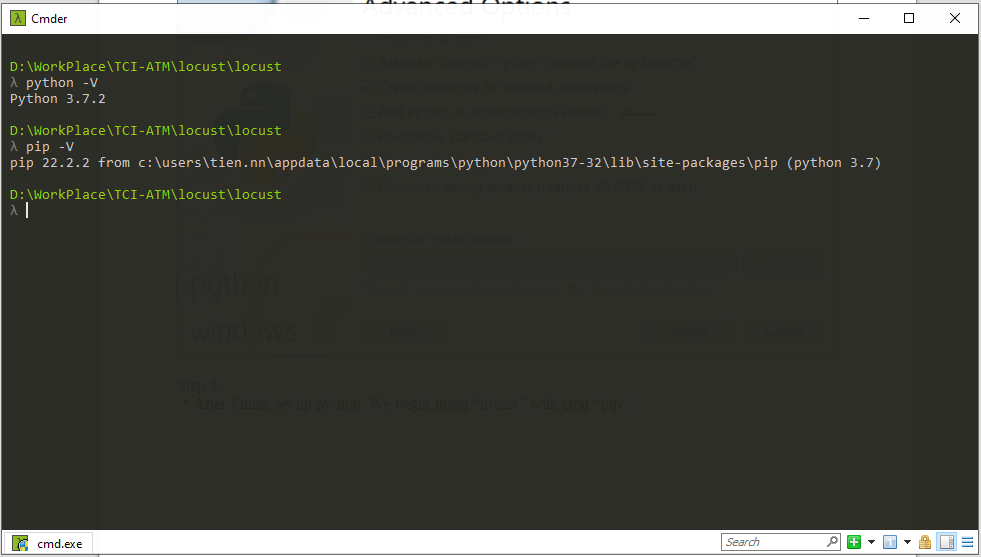
Step 3: Validate your Python and “Pip” installation from the command line.
Step 4: Install “Locust” by entering a command line “pip install locust”
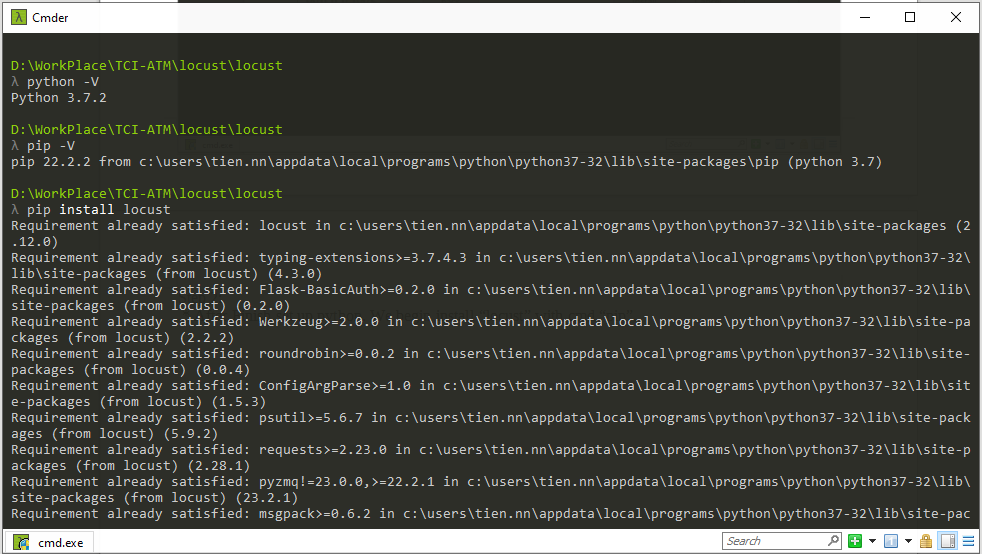
Step 5: Validate your Locust installation from the command line to confirm the install result