Appearance
Config DynamoDB
Here were stress test scenarios and the number of capacity units that we configured to run Stress tests for the ATM.
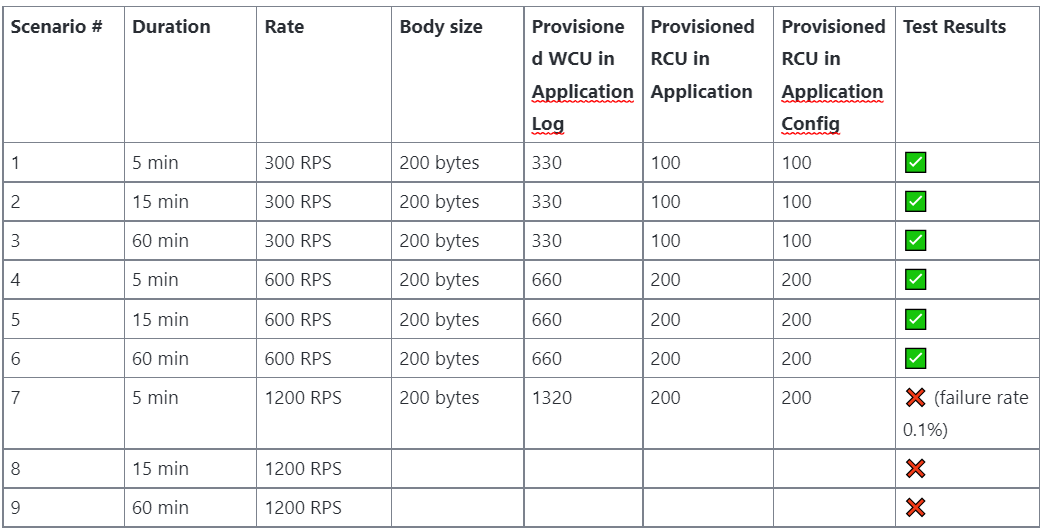
In order to proceed those cases, please follow the steps as follow to config the capacity unit on Dynamodb
Step 1: Access AWS
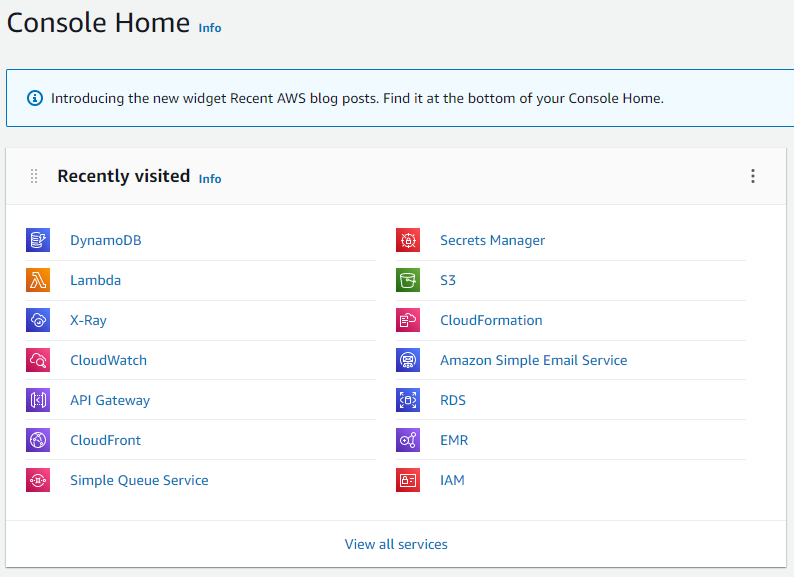
Step 2: On dynamodb, select atm-dev-ApplicationLog table then click on Edit button
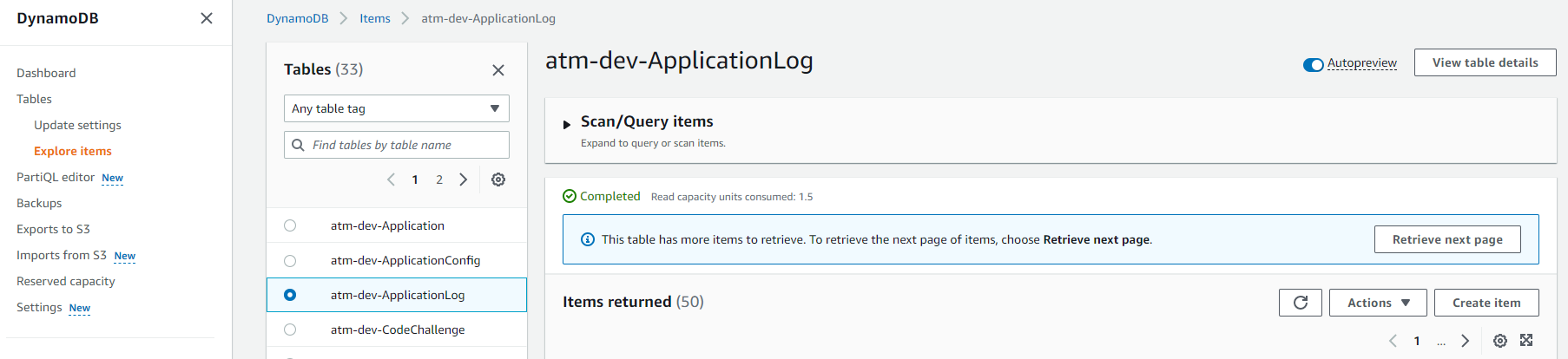
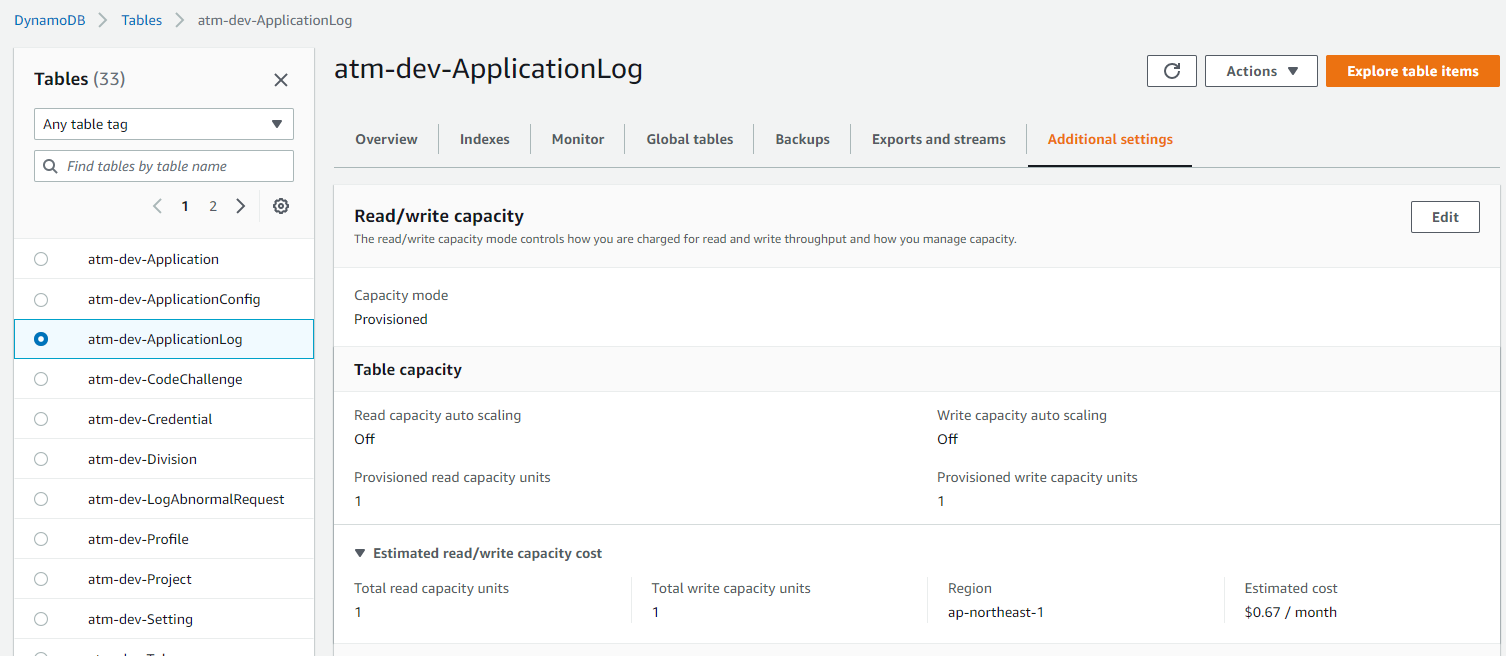
Step 3: Adjust ReadWriteCapacityMode
On DynamoDB, it has two Read and Write capacity modes for processing reads and writes on tables:
On-demand Provisioned (default, free-tier eligible)
The Read and Write capacity mode controls how to be charged for reading and write throughput and how to manage capacity. Based on the ATM requirement, we prefer the Provision option to specify the number of Reads and writes per second.
Note: For Stress test, Write capacity for writing (and deleting) and Read capacity for reading
Also, disable the Auto-scaling to target the table’s provisioned capacity and workload increases or decreases under control and pay only for the AWS resources needed to run the ATM applications.
If you select On-demand, the capacity unit will be changed automatically.
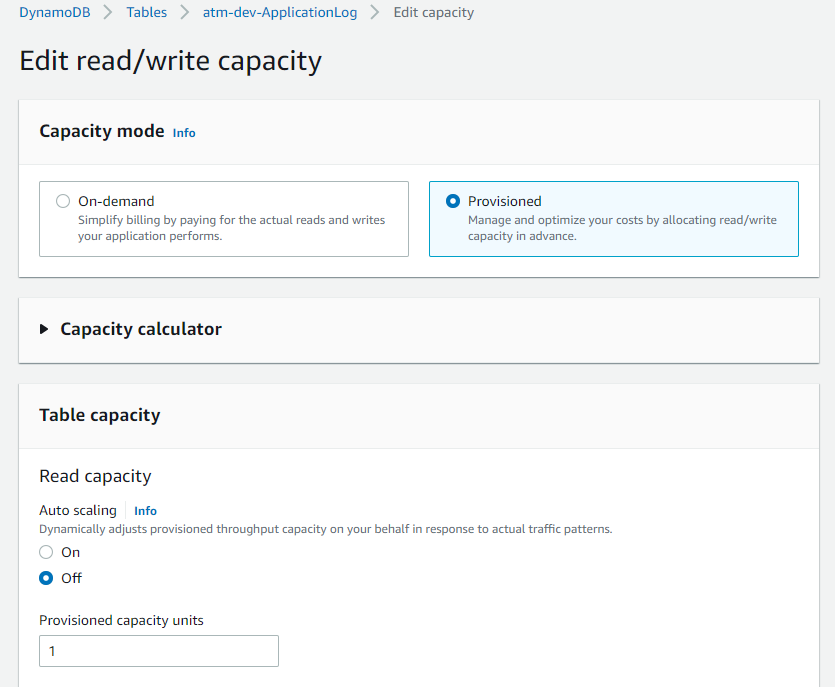
For Provisioned mode tables, we specify throughput capacity in terms of Read capacity units (RCU) and Write capacity units (WCUs). The total number of Read and Write capacity units required depends on the item size, and whether ATM want an eventually consistent or strongly consistent Read and Write
As regular, we set a request that is equal to 1 KB/RPS then DynamoDB must consume the Write capacity units at 1 capacity units.
One read capacity unit represents one strongly consistent read per second, or two eventually consistent reads per second, for an item up to 4 KB in size. Transactional read requests require two read capacity units to perform one read per second for items up to 4 KB. If you need to read an item that is larger than 4 KB, DynamoDB must consume additional read capacity units.
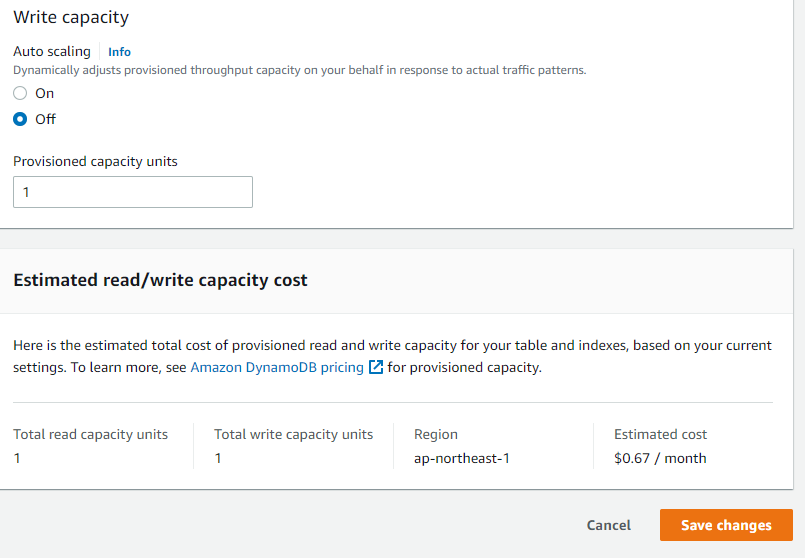
To ATM, the Push requests don’t work stably then we highly recommended adding on 10% as a buffer to Write capacity units to be a preventive action to avoid crashes during large spikes in visitors
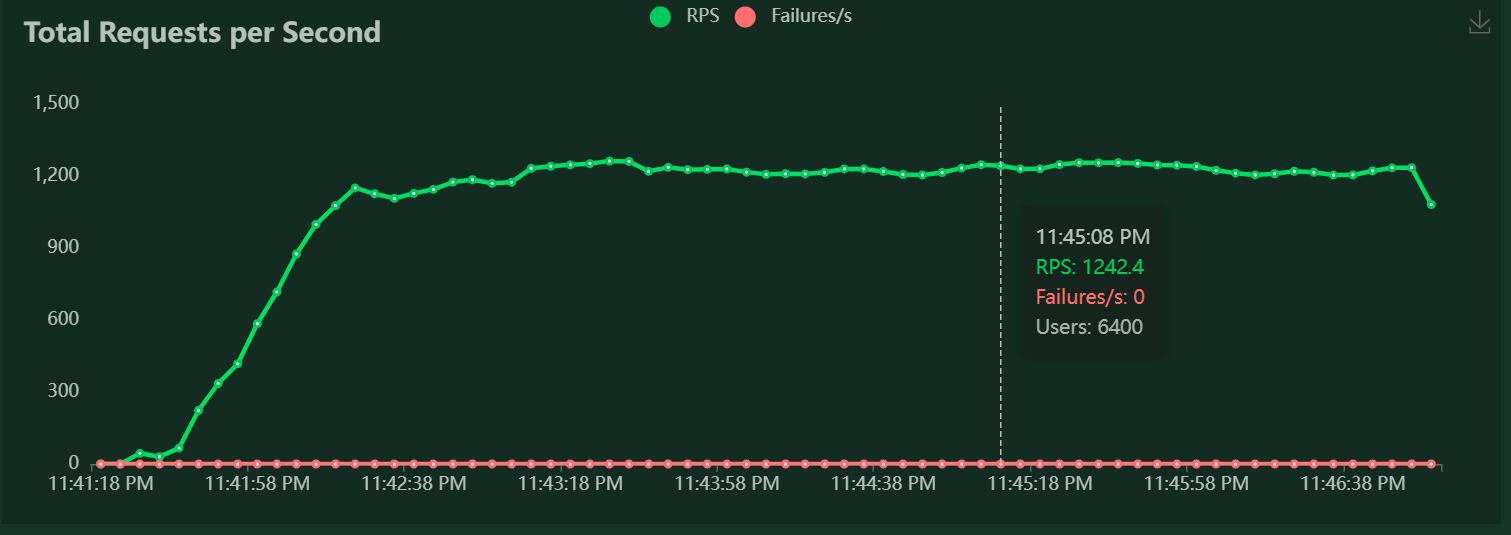
Here is an example to run stress test of 600 RPS
- WCU configuration: Write up to 600 KB per second (1 KB × 600 write capacity units + 10% buffer) = 660 capacity units
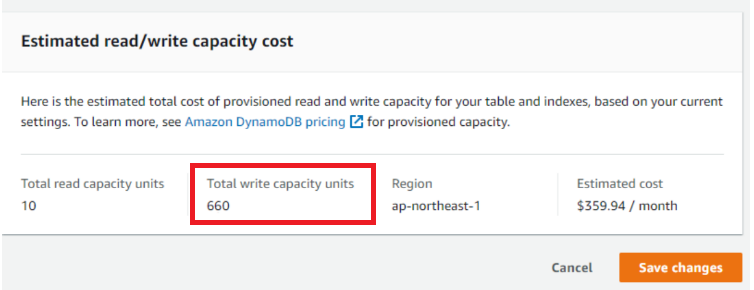
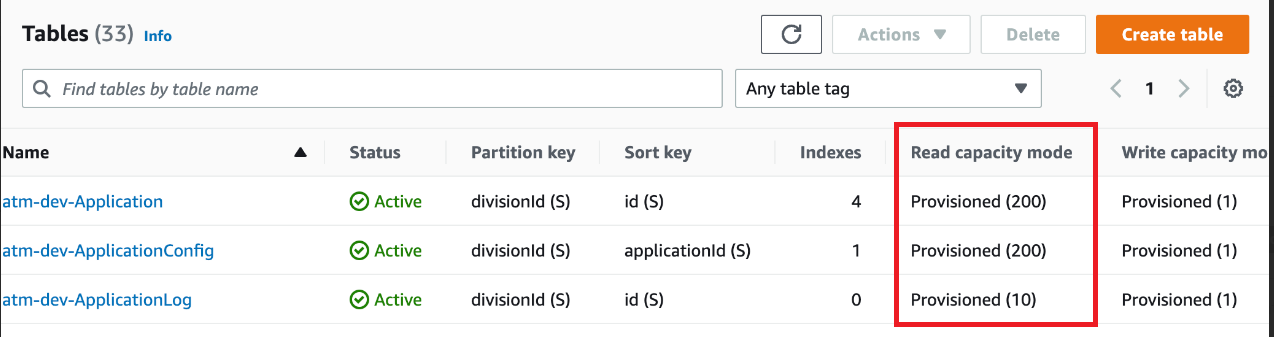
- RCU configuration for the ApplicationLog configuration, Atm-dev-application and atm-dev-applicationConfig.
Step 4: Click on Save changes to confirm the final decision