Appearance
Clients
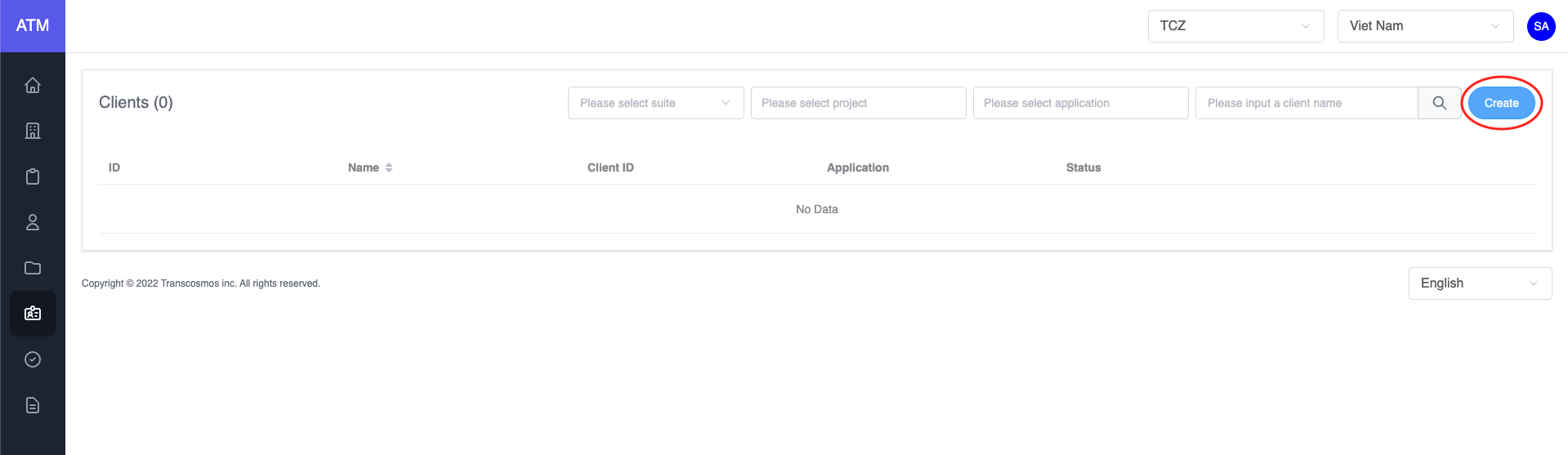
- Create client
- Access the Clients page
- Click on the Create button
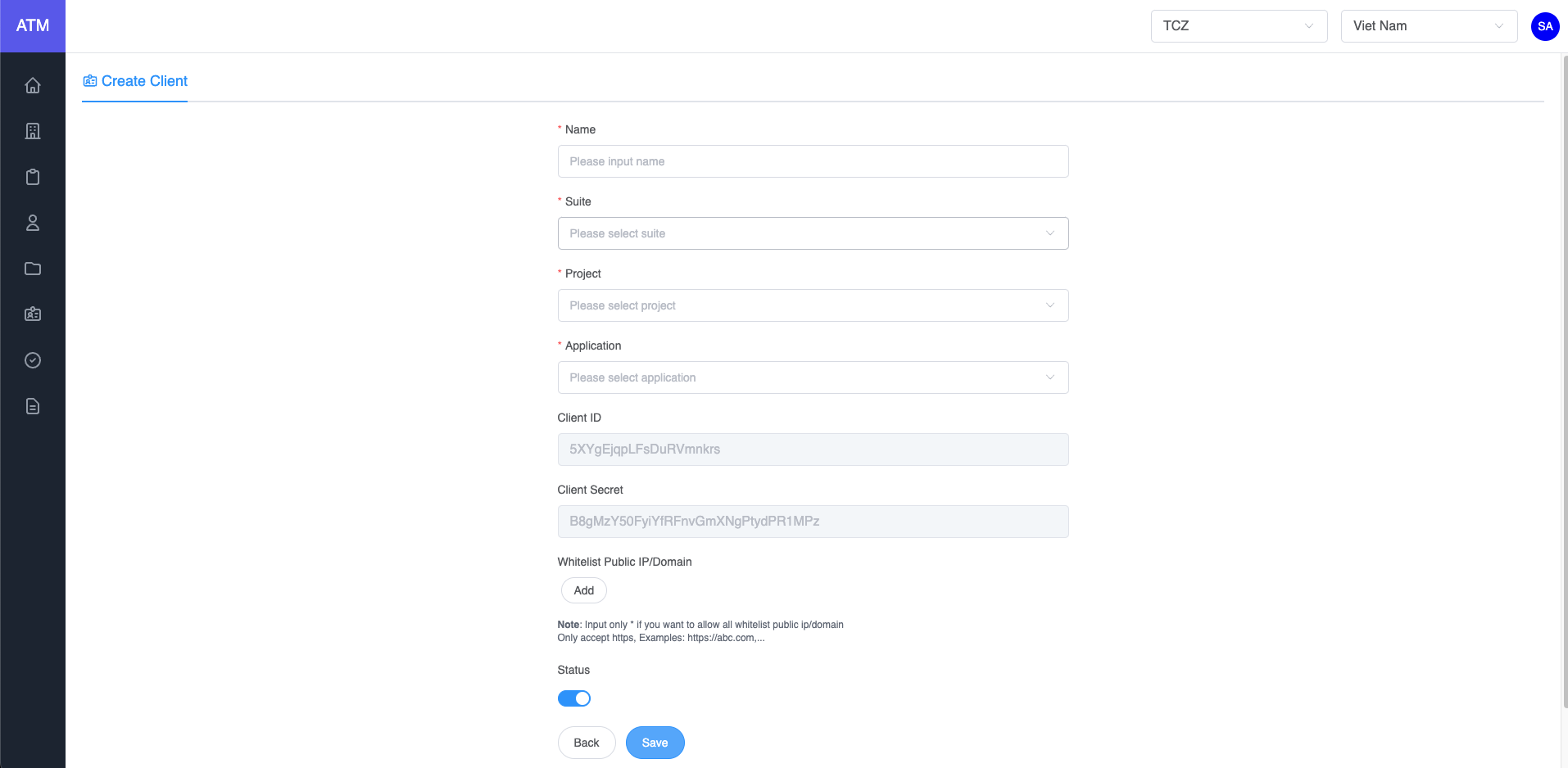
- Enter the client name
- Select Suite
- Select Project
- Select Authenticator type
- Input redirect URL
- Allow origins (Note: If you want to allow all domains, please input *)
- Edit client
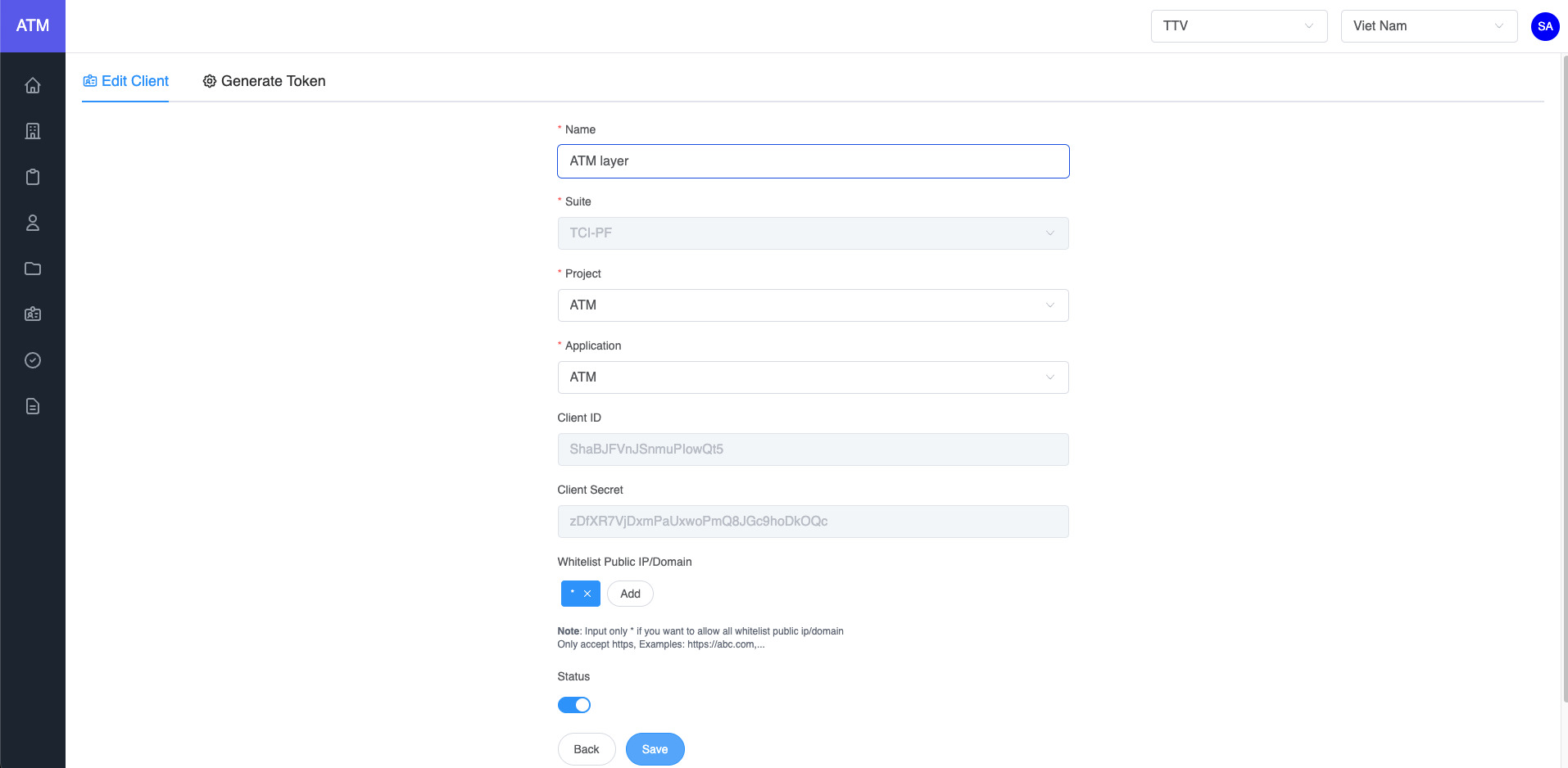
- On the clients grid, click on the edit icon of record where you want to edit the client
- Update data
- Click on Save button
- Delete client
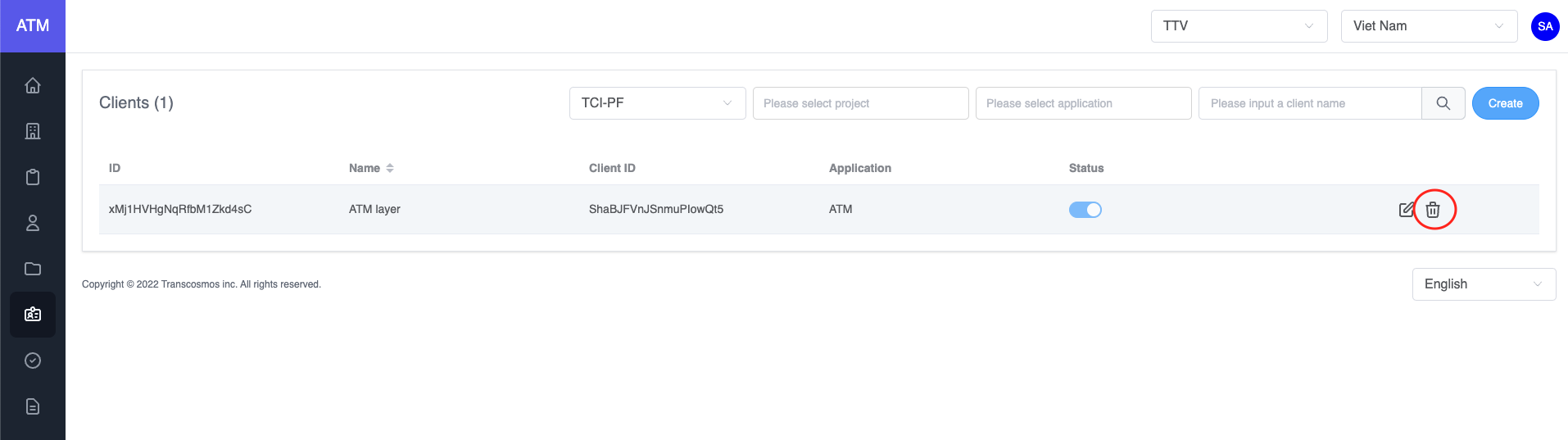
- On the clients grid, click on the delete icon of record where you want to delete the client
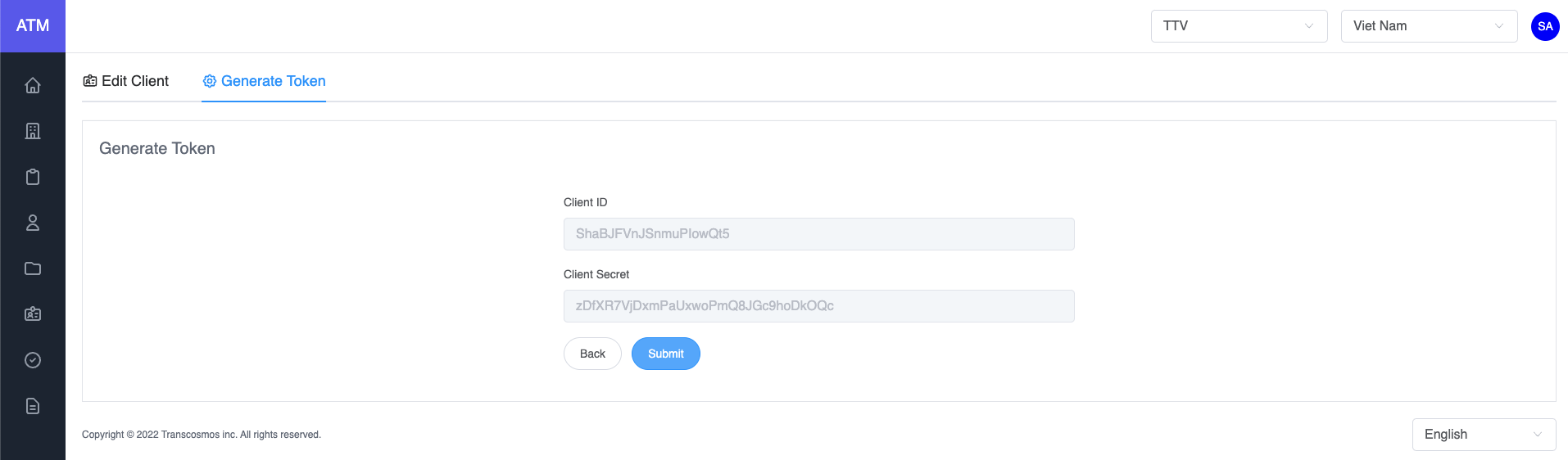
- Generate access token
- On the clients grid, click on the edit icon of record where you want to edit the client
- Click on tab Generate Token
- Click on Submit button