Appearance
Applications
- Create application
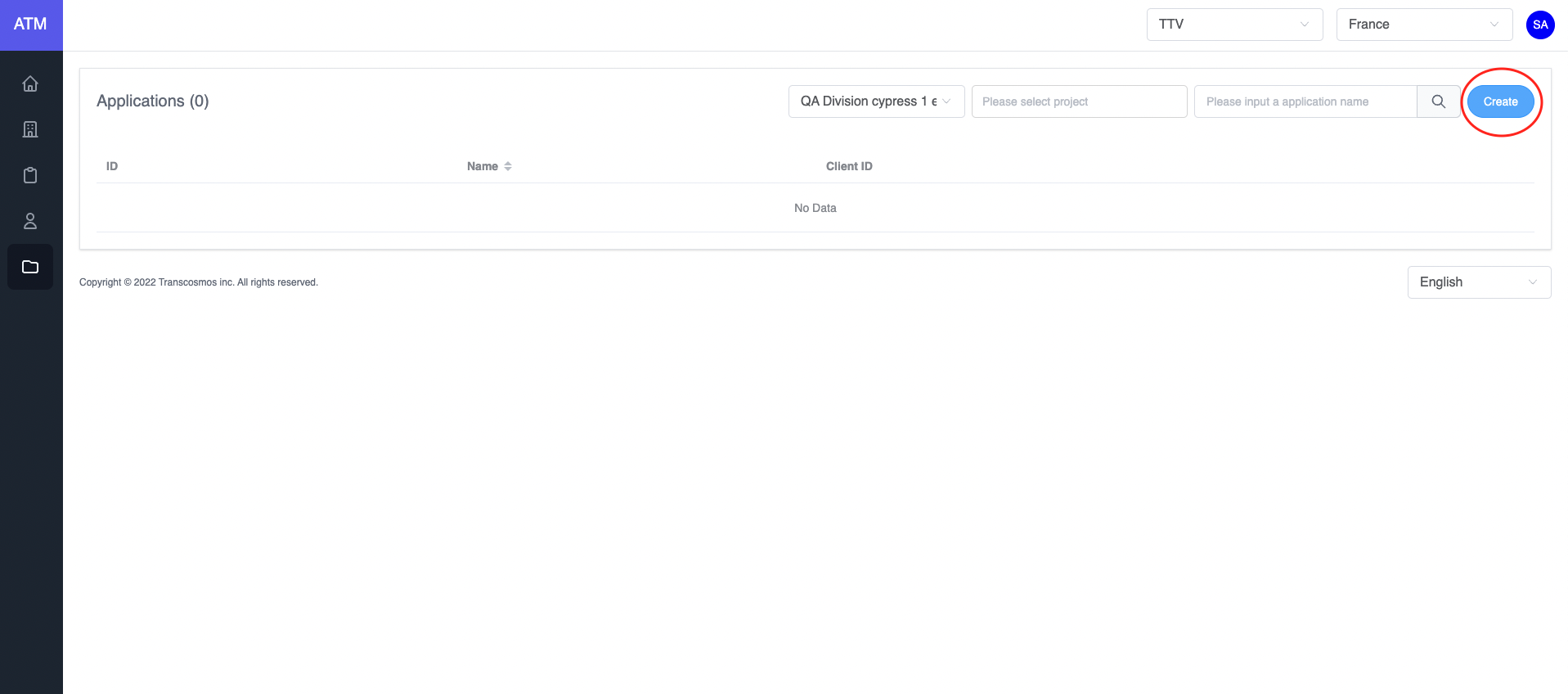
- Access the Applications page
- Click on the Create button
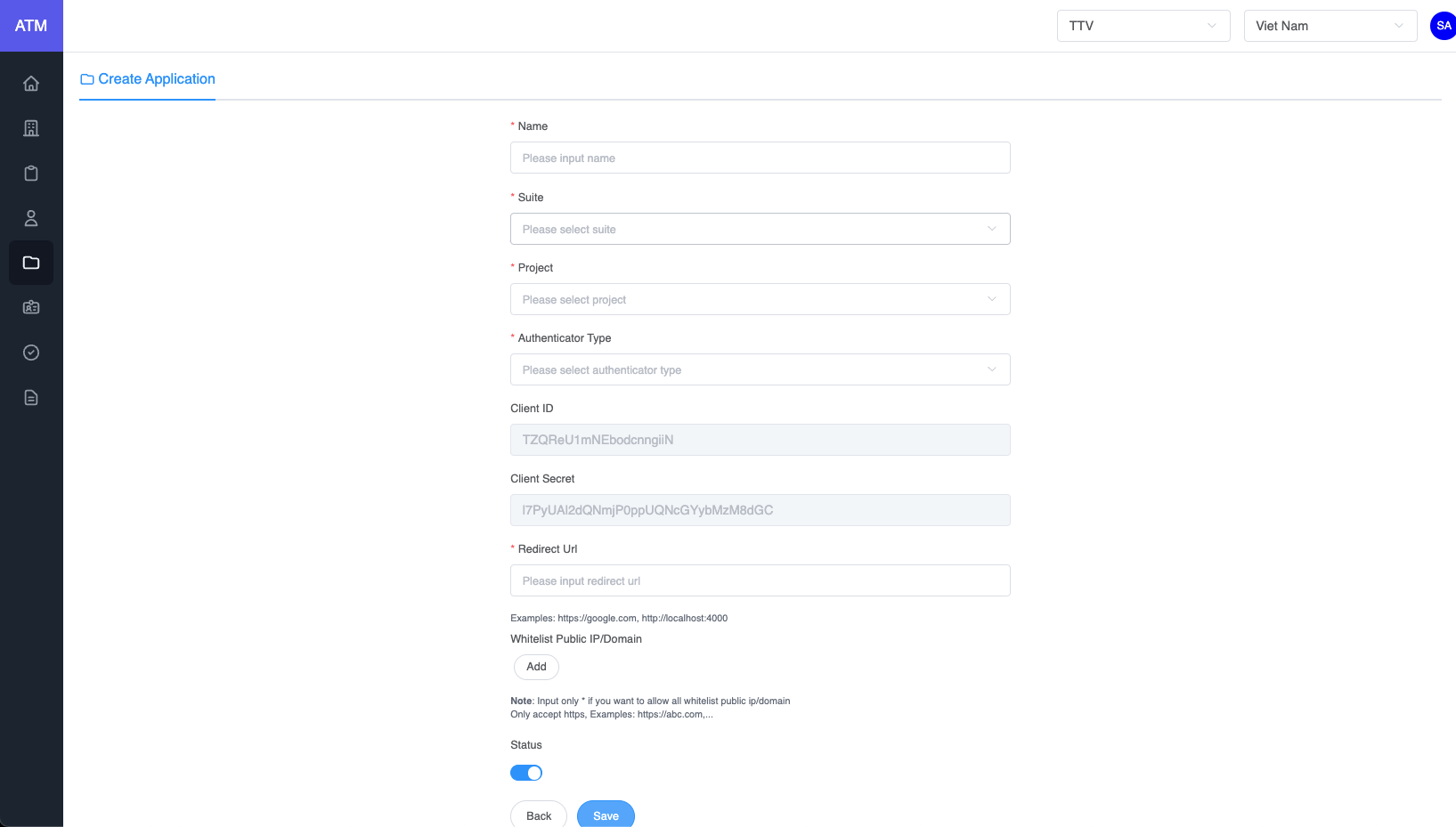
- Enter the application name
- Select Suite
- Select Project
- Select Authenticator type
- Input redirect URL
- Allow origins (Note: If you want to allow all domains, please input *)
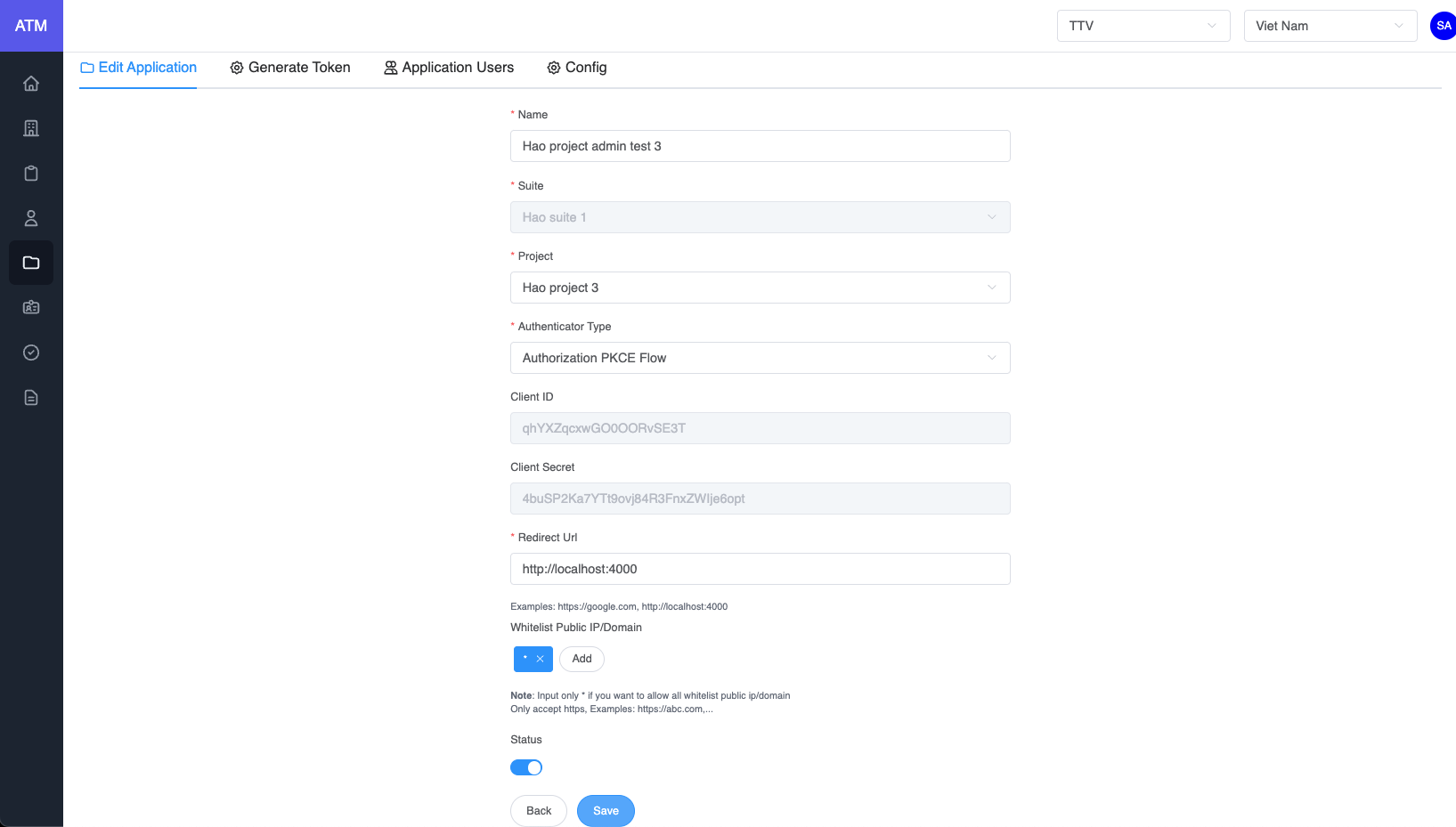
- Edit application
- On the applications grid, click on the edit icon of record where you want to edit the application
- Update data
- Click on Save button
- Delete application
- On the applications grid, click on the delete icon of record where you want to delete the application
- Warning: If the application had user, you can not delete it and the system will display an error message
- Generate access token
- On the applications grid, click on the edit icon of record where you want to edit the application
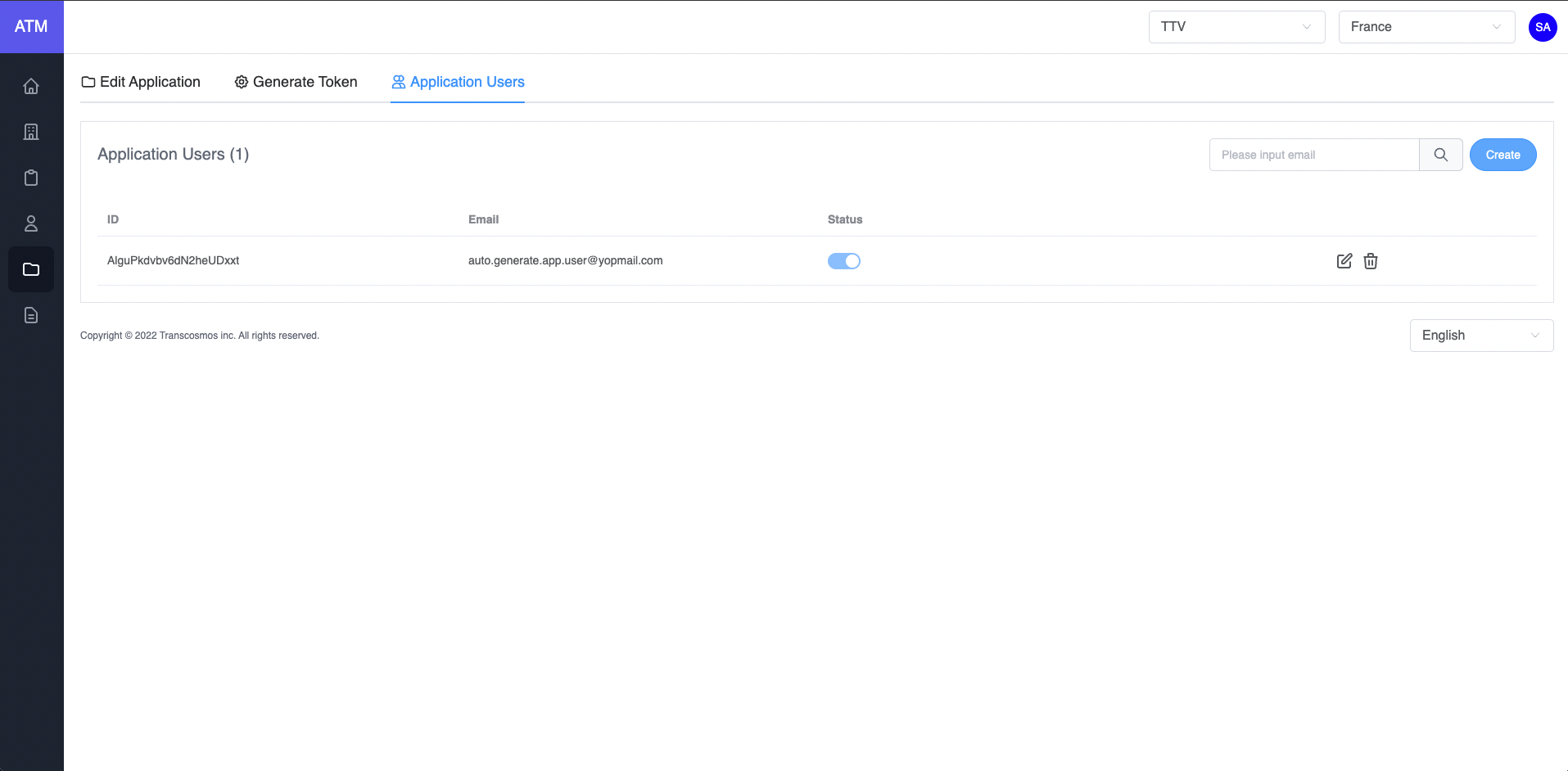
- Click on tab Application Users
- Enter Email if the application's authenticator type is User Credentials
- Click on Submit button
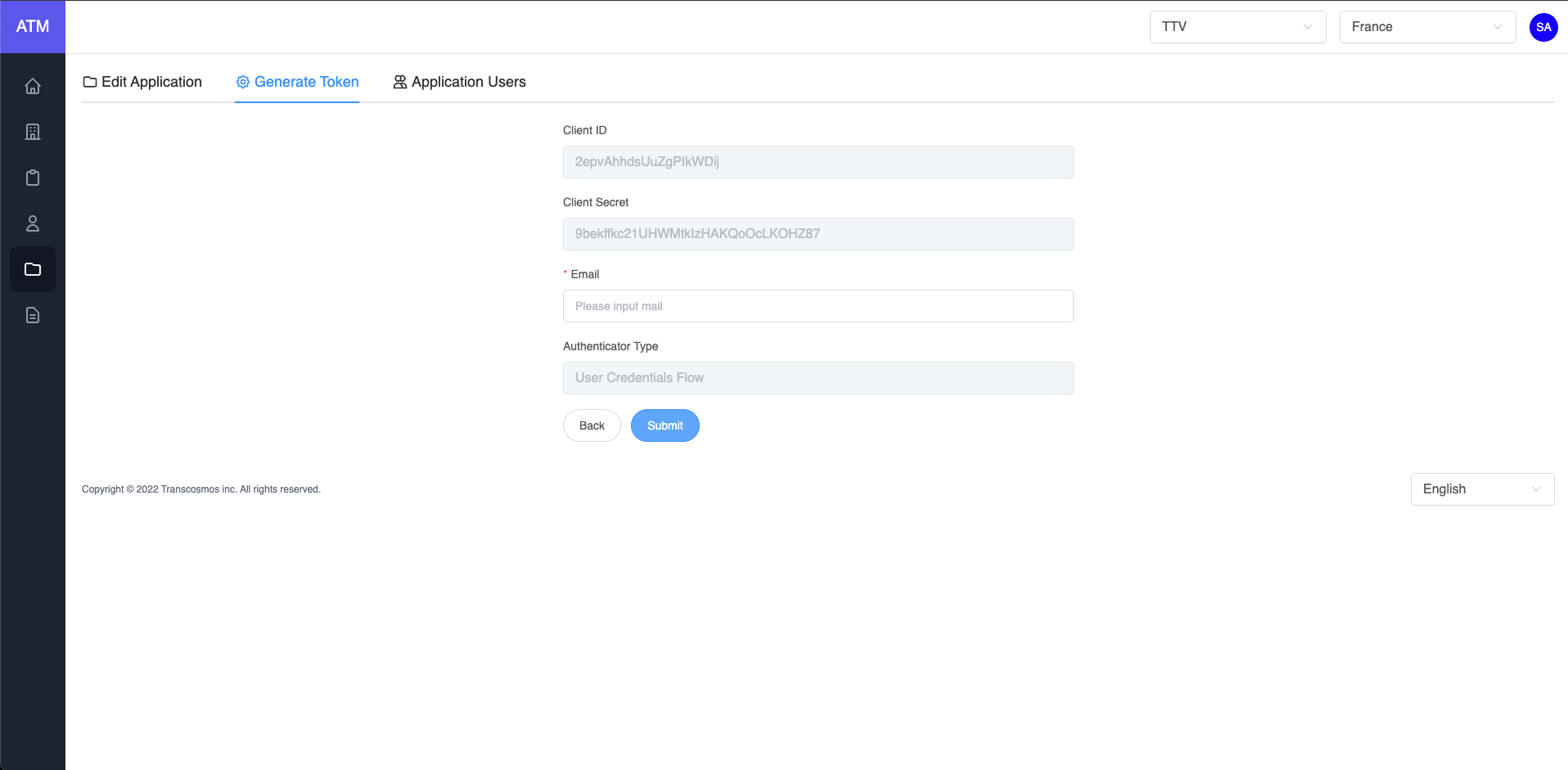
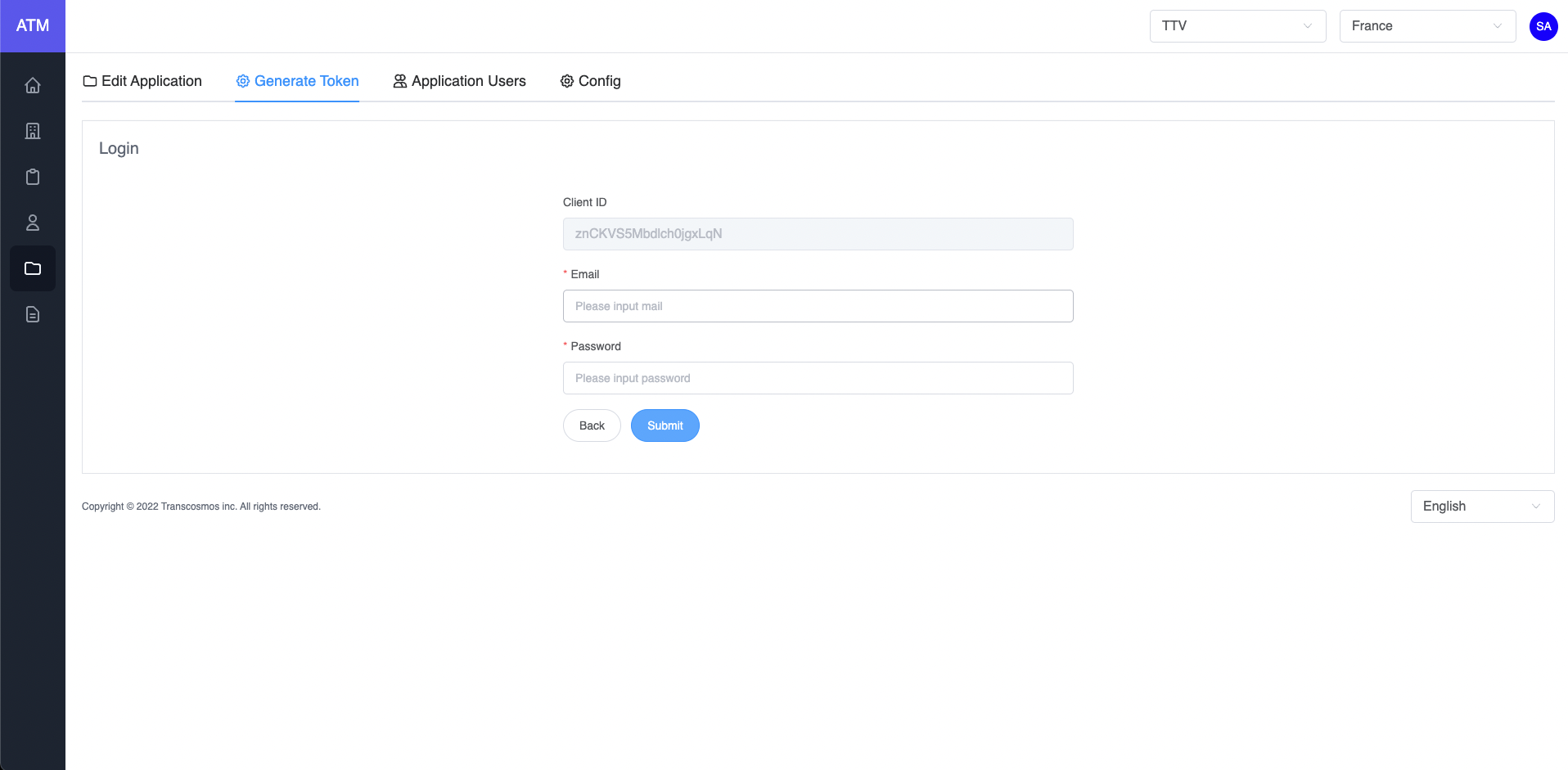
If the application's authenticator type is Authorization Flow
- Enter Email and Password to login and get code
- Click on Submit button to generate access token
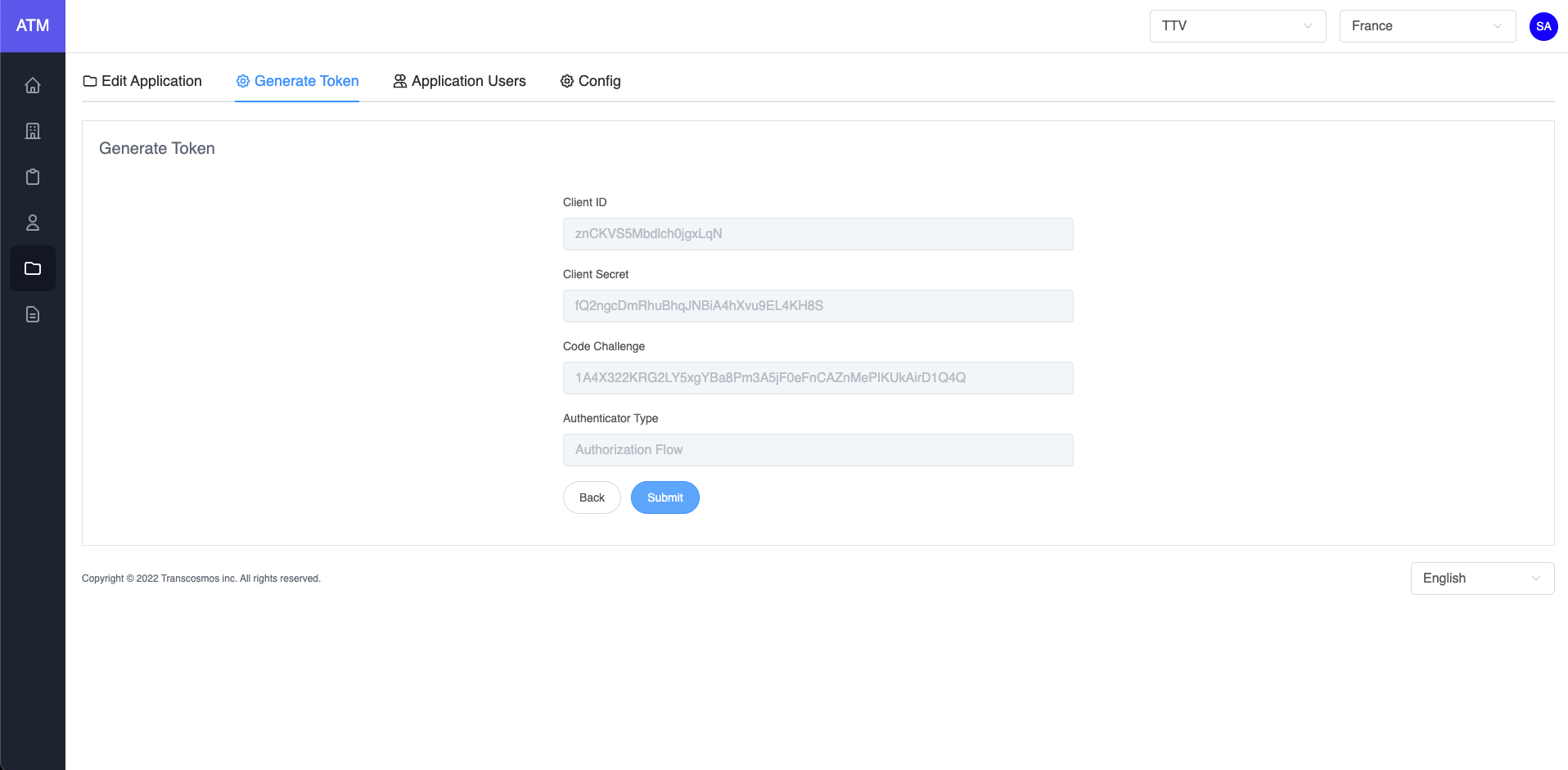
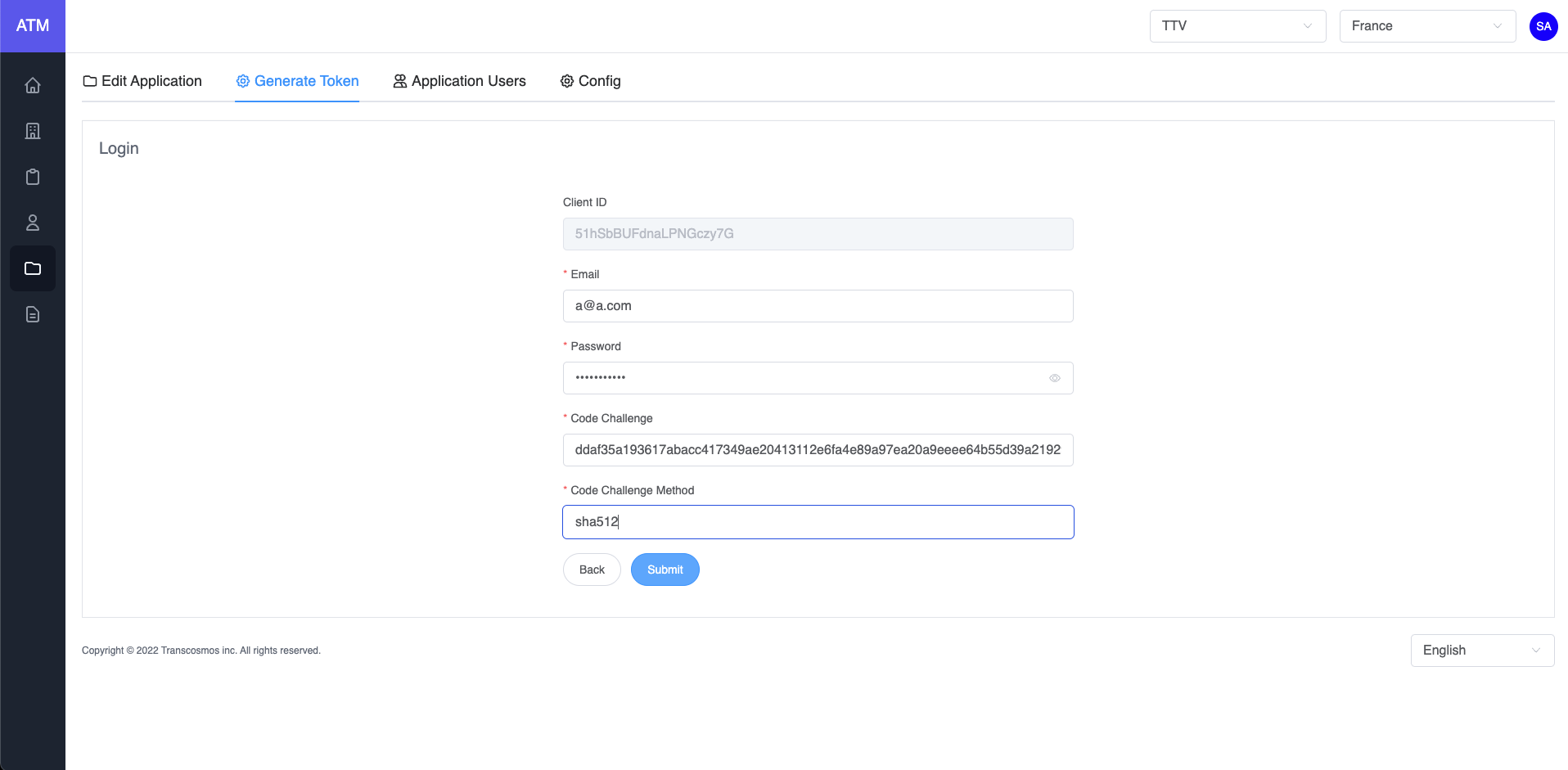
If the application's authenticator type is Authorization PKCE Flow
- Enter Email, Password, Code Challenge and Method to login and get code
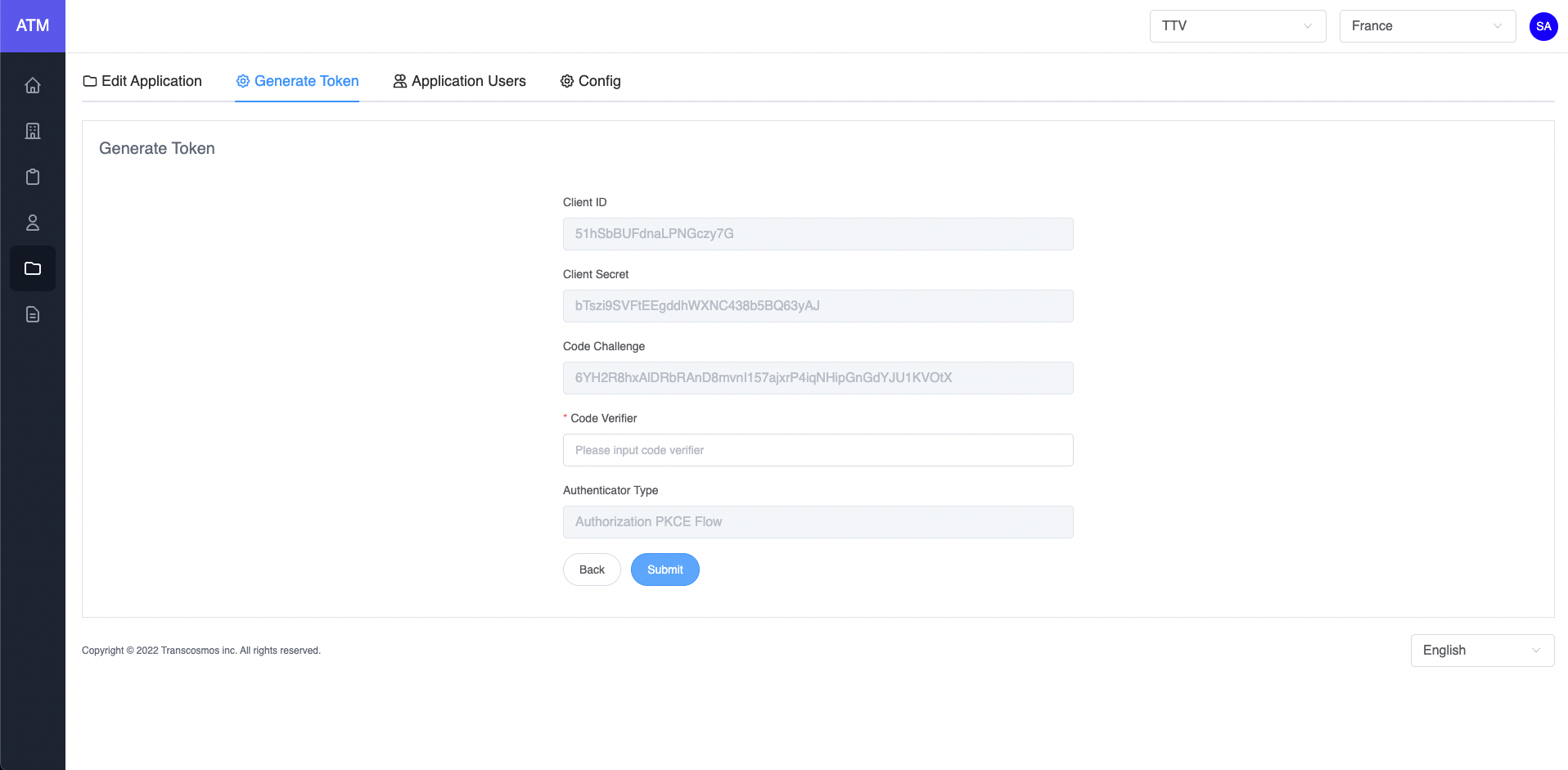
- Enter Code Verifier
- Click on Submit button to generate access token
- Add user to application
- On the applications grid, click on the edit icon of record where you want to edit the application
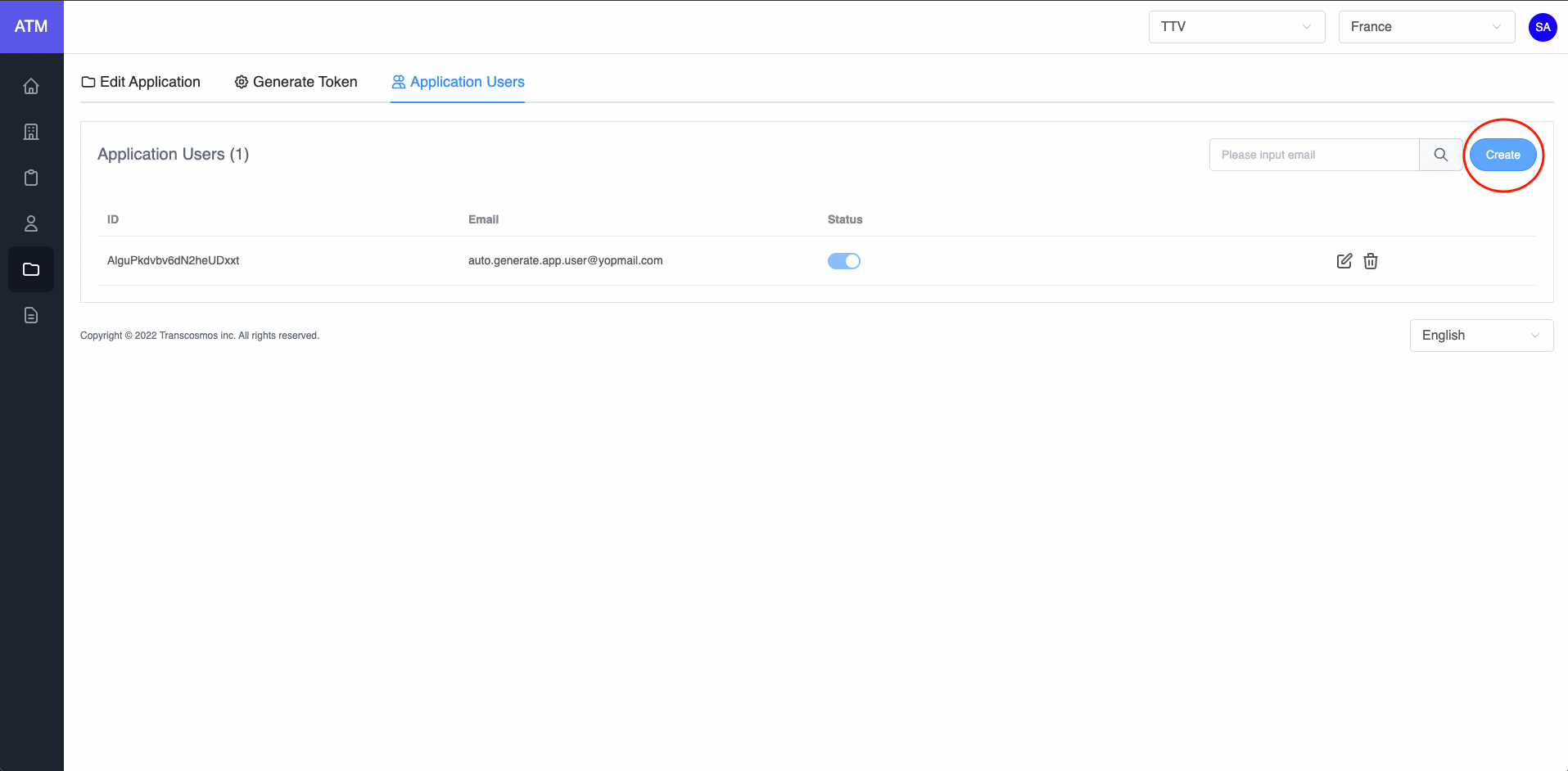
- Click on tab Application Users
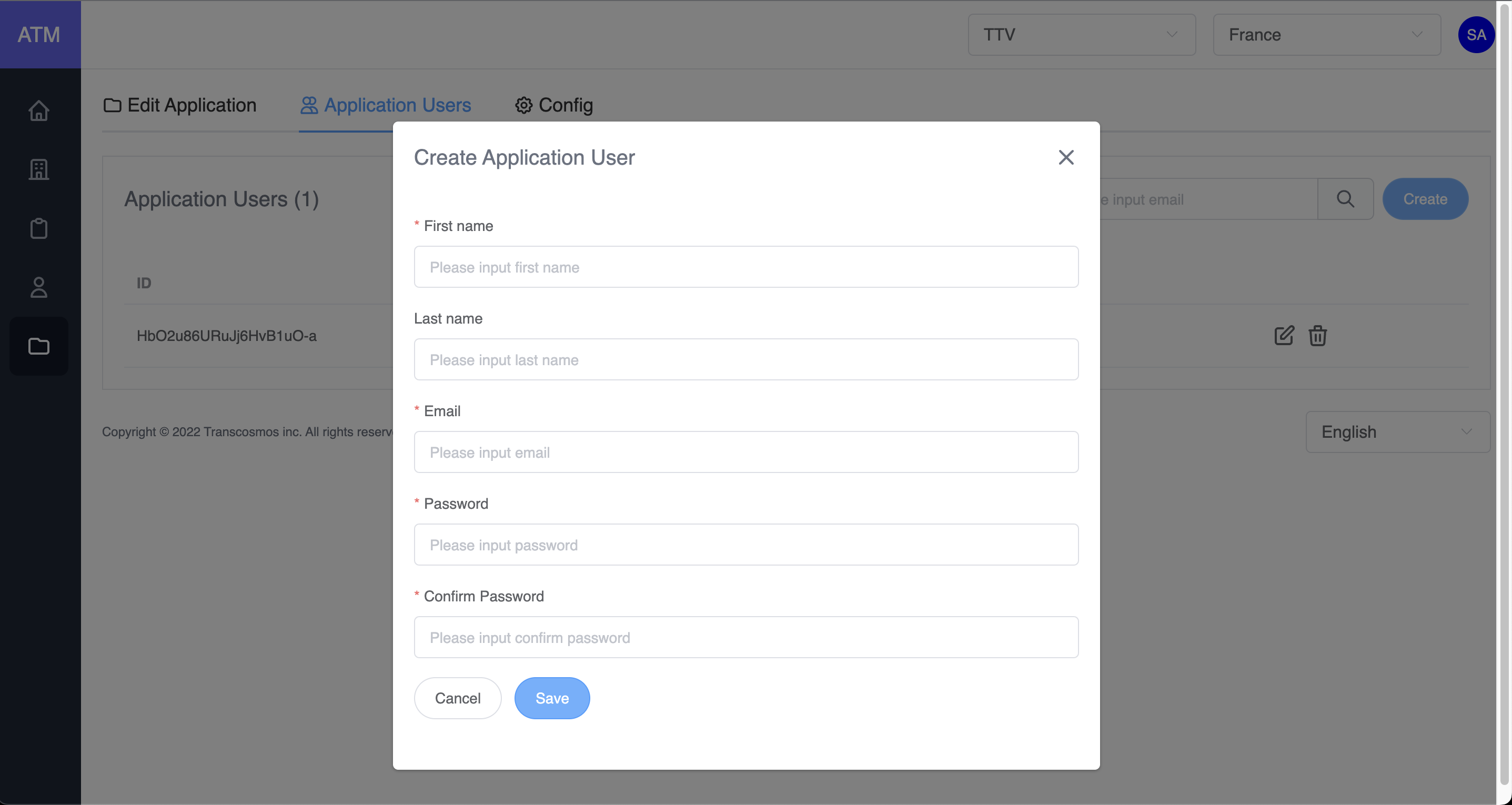
- Click on Create button
- Input data: First name, Email. Password and Confirm Password
- Click on Save button
- If the applicaion's authenticator type is User Credential, enable or disable the toggle to remove the user if needed
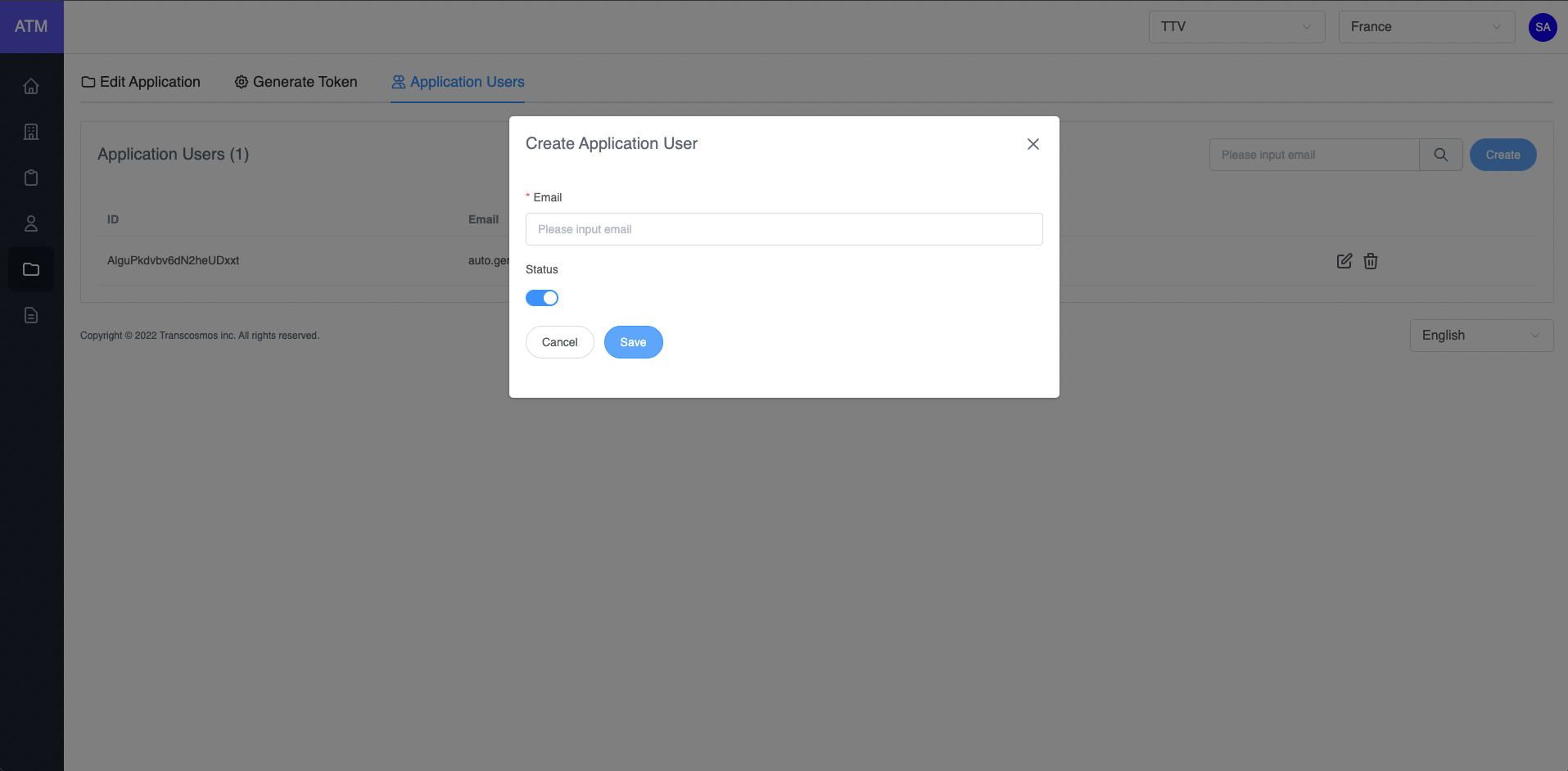
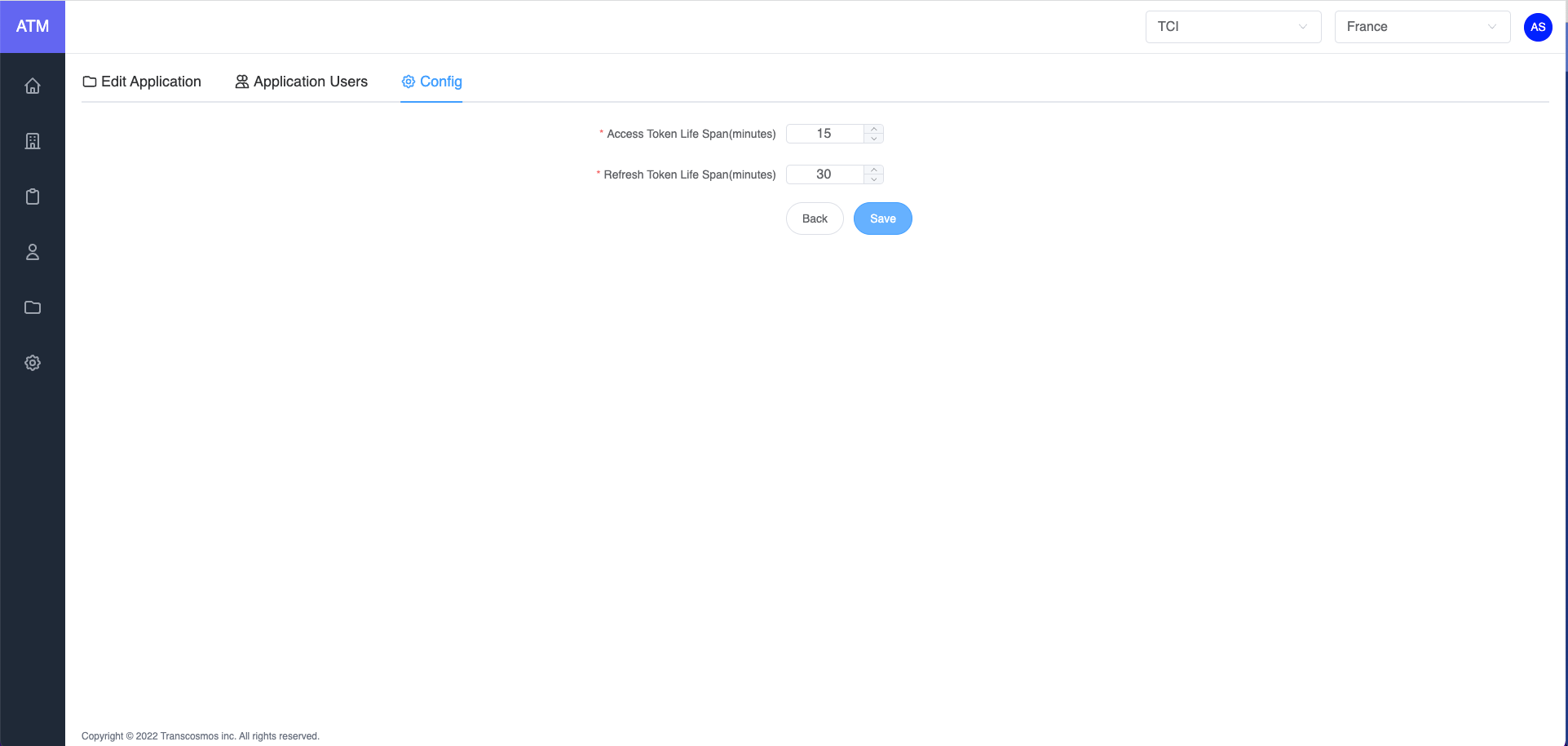
- Config expired token
- On the applications grid, click on the edit icon of record where you want to edit the application
- Click on tab Config
- Edit Access Token Life Span which is time expiration of access token
- Edit Refresh Token Life Span which Time expiration of refresh token (Note: Refresh Token Life Span should be greater than Access Token Life Span)
- Click on Save button